AI Topic Clusters
Organize your blog into topic hubs, find orphan posts, and let AI suggest internal links. Nothing changes until you accept.
Blog Structure shows your whole blog as a site architecture: topic hubs at the top, clusters under them, articles inside. AI sorts articles into hubs and suggests in-text internal links, and every suggestion waits for your approval before it touches a live article.
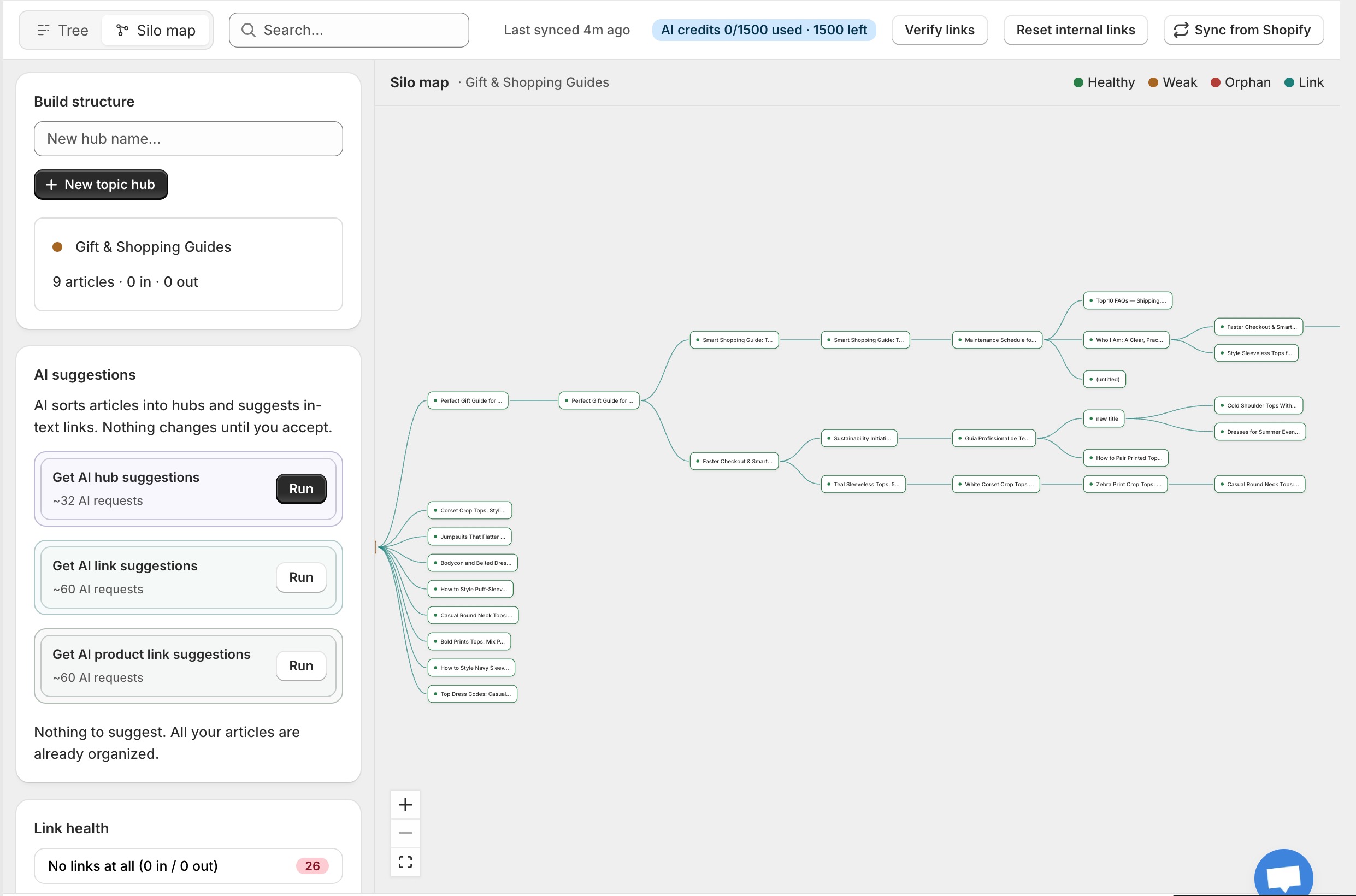
Two views of your blog
- Tree view: a drag-and-drop outline. Move articles between hubs by dragging them.
- Silo map: a node graph with a legend for healthy, weak and orphan nodes and their links.
A health row on top counts your orphan articles, weak hubs, duplicates and missing links, so you always know where the work is.
Build your structure
- Create hubs with New topic hub. Each hub shows how many articles it holds and how many links flow in and out.
- Work through the Orphan articles panel and drag posts into the hubs where they belong. When it’s empty you’ll see: “Every article belongs to a cluster.”
- Optionally mark an article as the hub page (pillar) so cluster posts link up to it.
The three AI runs
| Run | What it suggests |
|---|---|
| Get AI hub suggestions | Sorts orphans into your hubs and proposes brand-new hubs where a topic is missing |
| Get AI link suggestions | In-text internal links, with the exact anchor phrase picked from the article's real text |
| Get AI product link suggestions | Links from articles to matching products in your catalog |
Suggestions land in a review table with the article, the proposed target, the anchor text and a confidence rating (High, Medium, Low). Accept them one by one, accept selected, or accept all. Only accepted links are written into the live article HTML.

Manual link builder
You can also place links by hand. The builder highlights a natural anchor phrase the AI found in your text, or you select your own words. Targets can be articles, hub pages, or any custom URL such as a product or collection page. A live counter shows your link budget, up to 20 managed internal links per article.
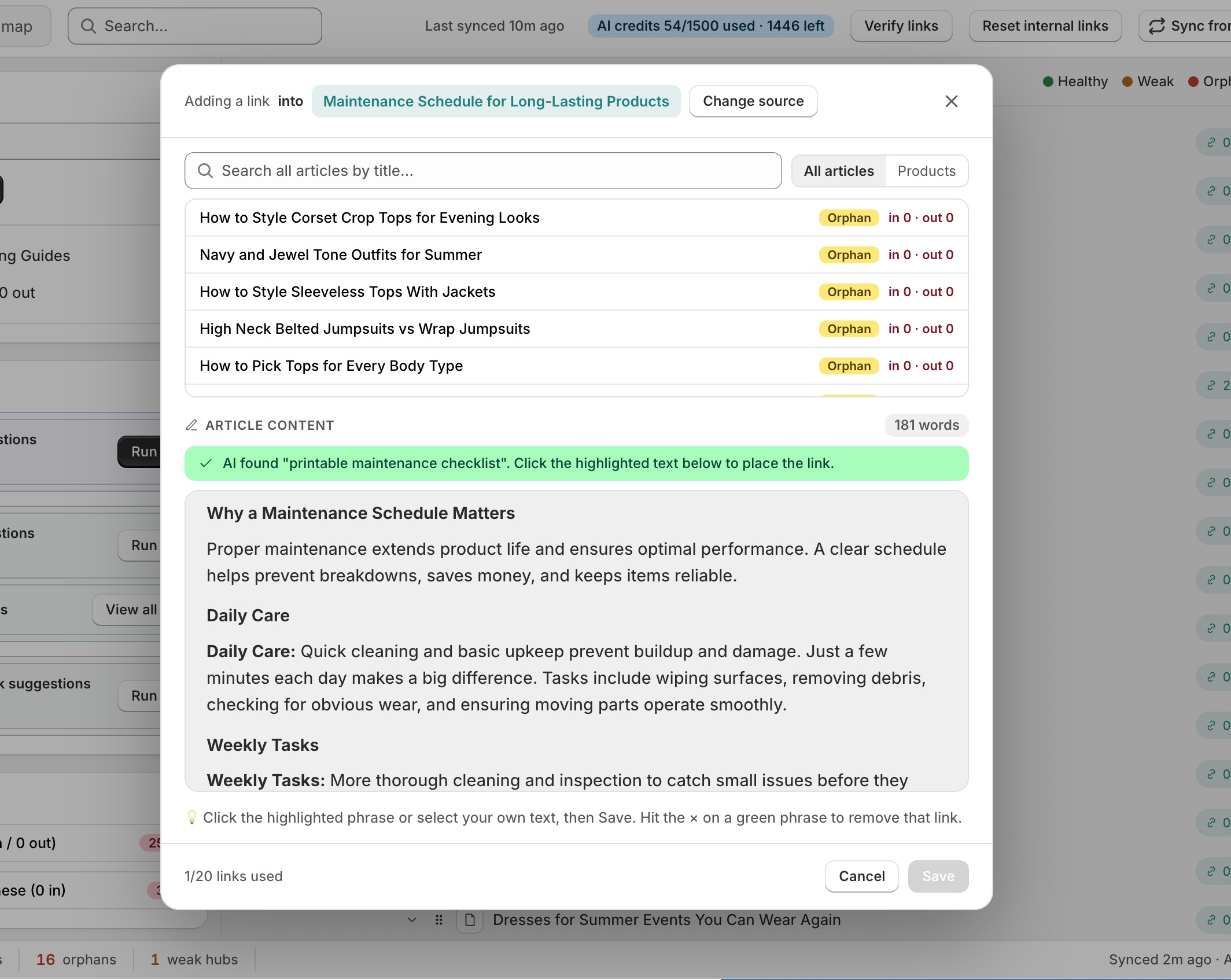
Keeping links healthy
- Sync from Shopify refreshes the mirror of your articles and shows when it last ran.
- Verify links checks that every recorded link still exists in the live article.
- Link health flags articles with no links at all, nothing pointing to them, no outbound links, or lots of inbound links and none out.
- Reset internal links is the safe cleanup: the linked words stay in place, only links pointing to your own store are removed, and links to other websites are never touched.
Note