Bulk Edit Articles
Edit every article in your store from one spreadsheet: inline edits, AI fixes, filters, bulk actions and CSV export.
The bulk editor loads every article across every blog in your store into one table. Each cell is editable in place, and all your changes are saved in a single batch, so fixing 200 titles takes minutes instead of afternoons.
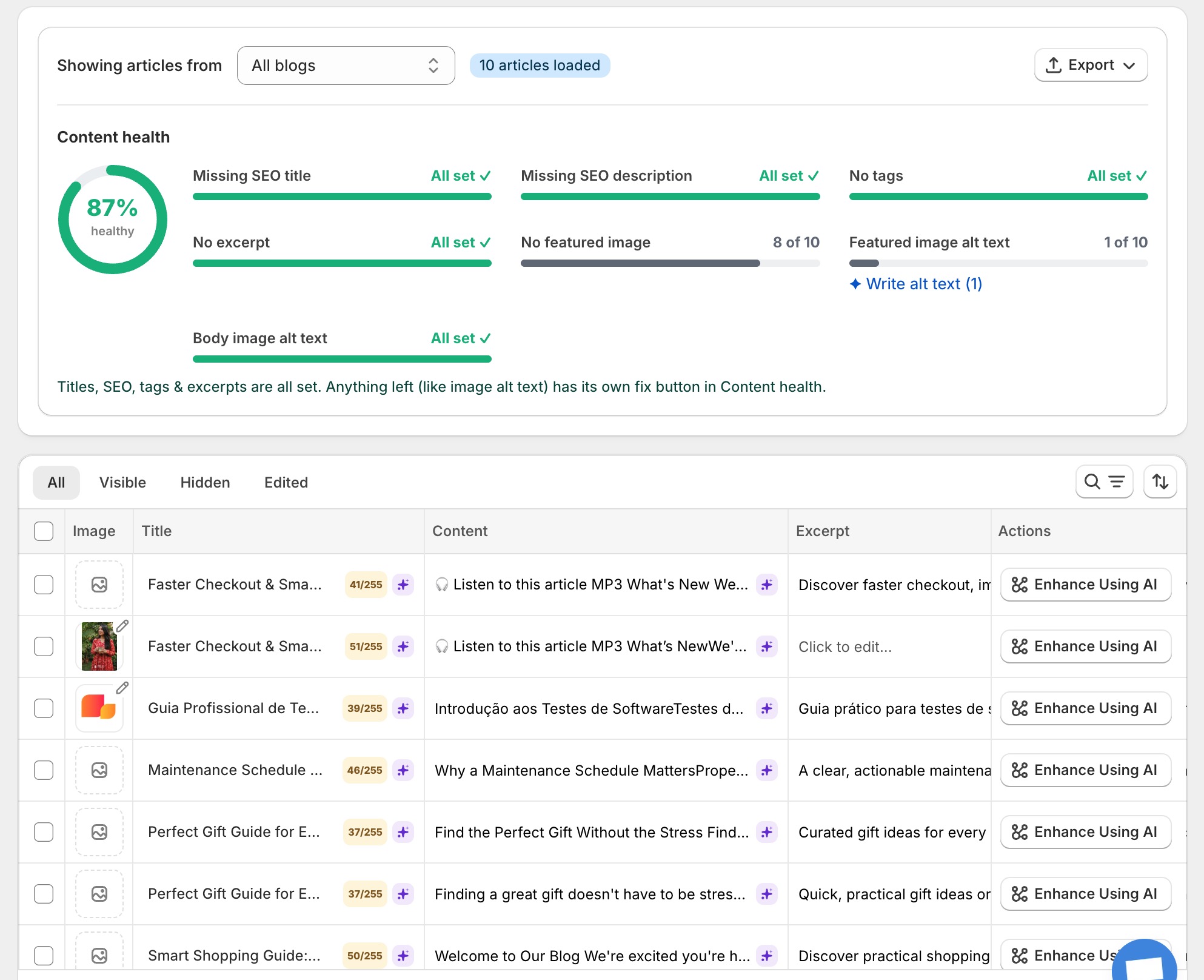
The editing grid
You can edit 13 columns inline:
Image · Title · Content · Excerpt · Tags · Visibility · Author · Blog · Template · SEO Title · SEO Description · Handle · Actions
- Pick a blog from the dropdown, or choose All blogs to see everything at once.
- Click any cell and type. Edited articles move to the Edited tab so you never lose track of them.
- Use search (title, tags or author), the Author and Template filters, and sorting by title, author, published date or status.
- Click the save bar when you’re done. It always shows the pending count, for example Save 37 changes.
Tip
Content health: find and fix SEO gaps
The content health panel scans your articles and counts what’s missing: SEO titles, SEO descriptions, tags, excerpts, featured images, and alt text on featured and body images.

Each gap has a one-click fix: Generate titles with AI, Generate descriptions with AI, Suggest tags, Write excerpts and Write alt text. When everything is clean the panel shows All set ✓.
Fix with AI: bulk optimization
Fix with AI rewrites the weak fields of many articles in one run. A progress bar shows how far it got, and you can stop it at any point. When it finishes, every changed cell is highlighted purple so you can review before saving. Nothing touches your store until you hit save.
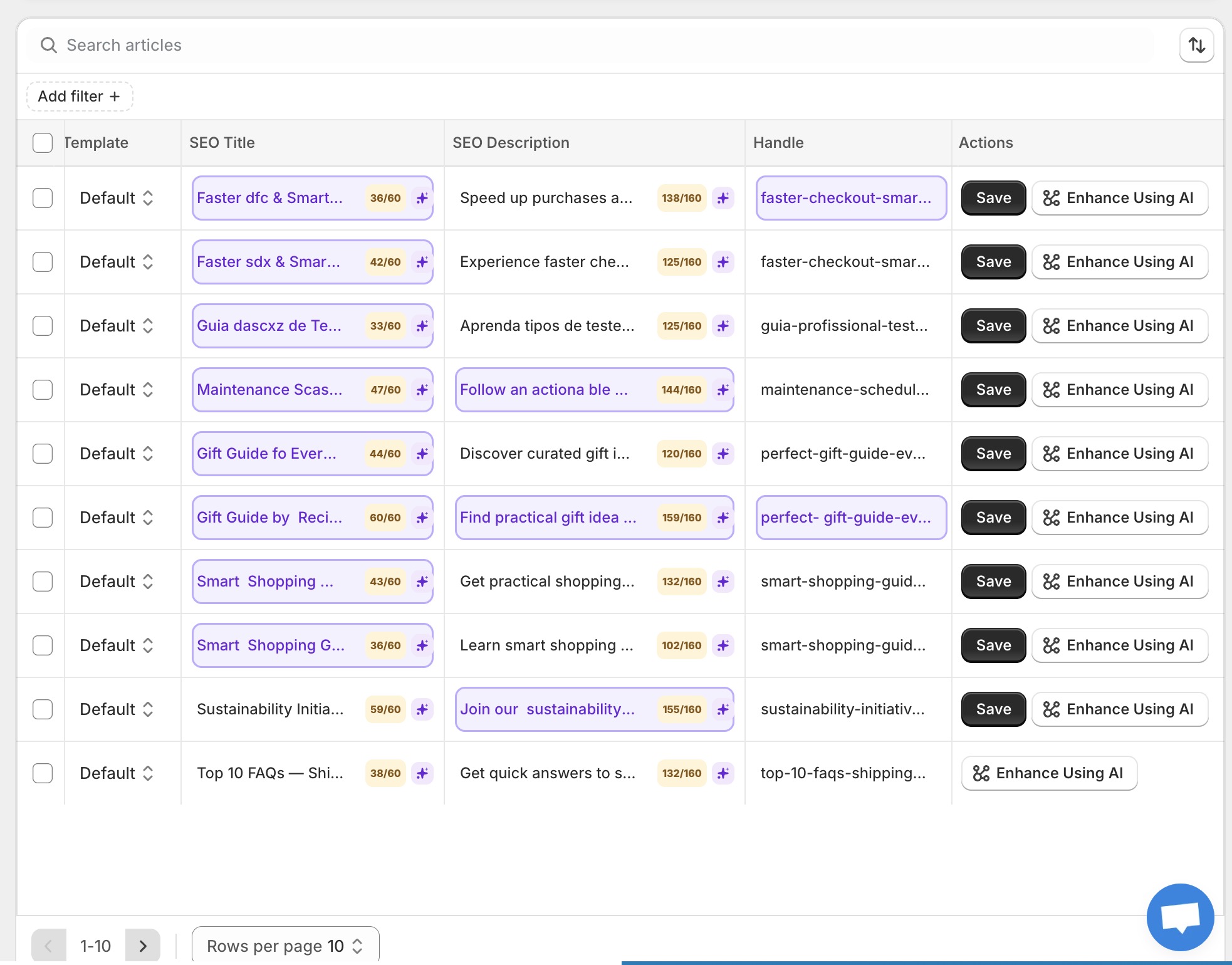
You can also improve a single cell: open the AI popover on any field, adjust the prompt and tone if you like, and apply. A single-field edit costs 1 AI credit.
The rich text editor
The Content column opens a full editor: headings, bold and italic, lists, blockquotes, code blocks, tables, text alignment, colors, links, image upload with alt text, a raw HTML view, and undo and redo.
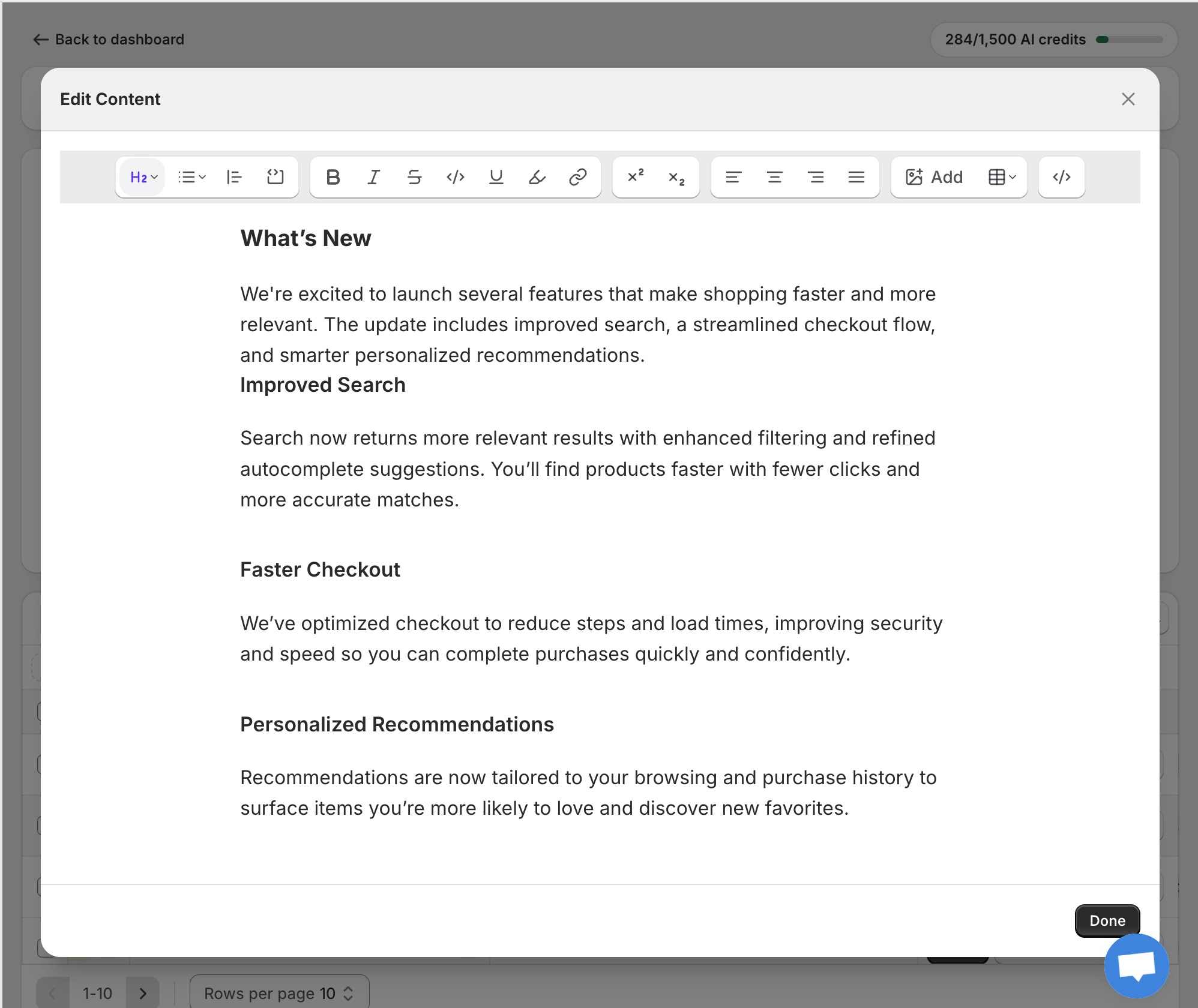
Bulk actions
- Set as visible / hidden for all selected articles at once.
- Export selected articles (or everything) to CSV. Export runs as a background job and tells you when the file is ready.
- Delete with a confirmation step. Deleting cannot be undone, so the app asks twice.
- Generate audio for a post straight from its row (see Article Audio).
Warning
| Limit | Value |
|---|---|
| Image upload size | Up to 20 megapixels |
| Articles per page | 10, 20 or 30 |
| Manual edits | Free and unlimited on every plan |
| Single AI field edit | 1 credit |
| Full article AI optimize (7 fields) | 7 credits |