Article Audio
Give every post a narrated audio version: 11 voices, 6 delivery styles, a player in the article and the MP3 in your Shopify Files.
Post to Audio gives each article a narrated version customers can listen to. The player is added at the top of the article, labeled “🎧 Listen to this article”, and the MP3 is stored in your Shopify Files, so it keeps working even if you uninstall the app.
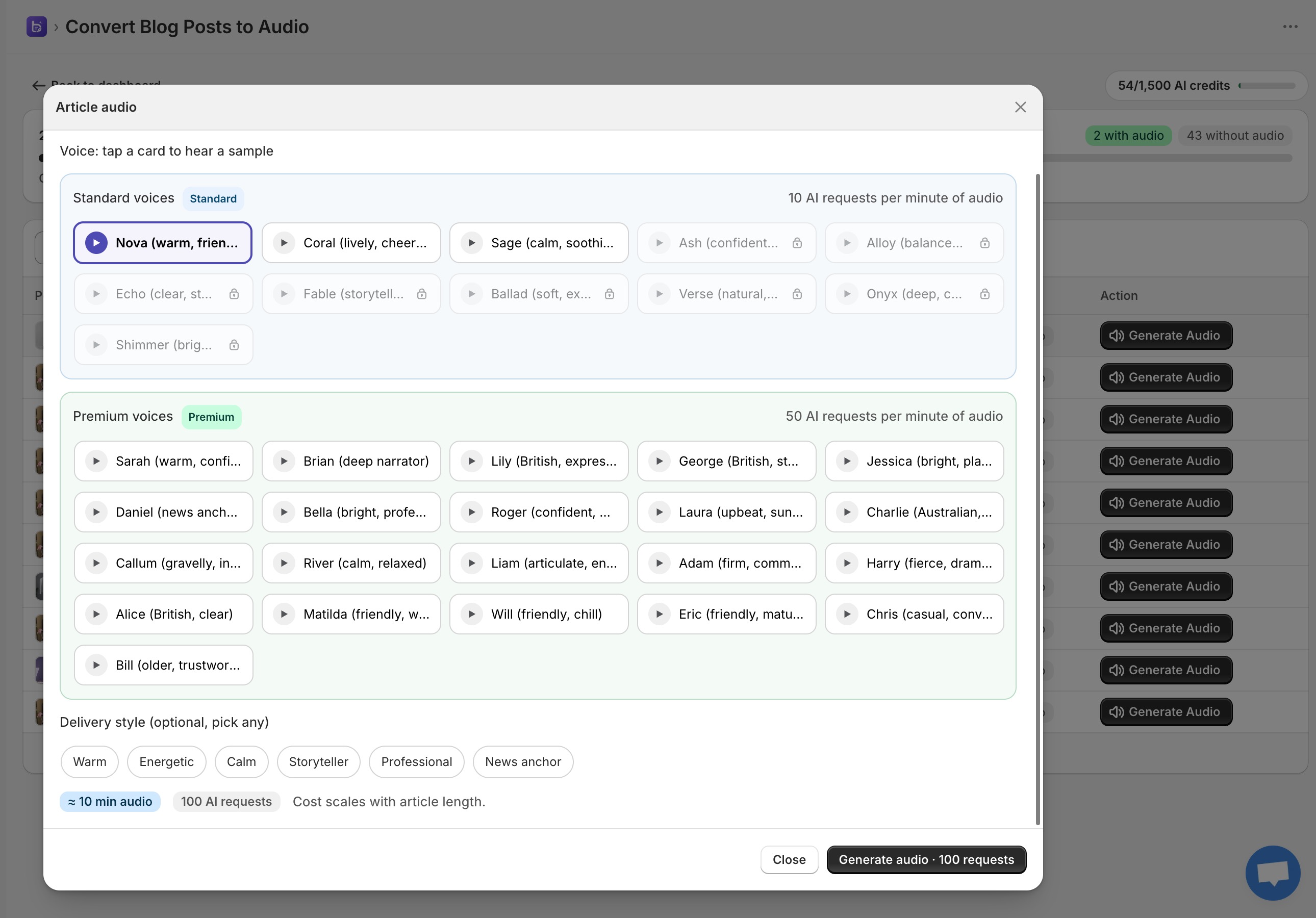
Generate audio
- Open Post to Audio (or click the audio button on any row of the bulk editor).
- Pick a voice. Every voice has a tappable preview so you can hear it before you commit.
- Pick up to several delivery styles: Warm, Energetic, Calm, Storyteller, Professional or News anchor.
- Check the cost preview: estimated minutes of audio and the credits it will use. Cost scales with article length.
- Click Generate Audio. When it’s done, the player is live in the article.
The voices
Nova (warm, friendly) · Coral (lively, cheerful) · Sage (calm, soothing) · Ash (confident, crisp) · Alloy (balanced, neutral) · Echo (clear, steady) · Fable (storyteller) · Ballad (soft, expressive) · Verse (natural, versatile) · Onyx (deep, calm) · Shimmer (bright, upbeat)
| Plan | Voices available |
|---|---|
| Free / Starter | 3 |
| Plus | 5 |
| Grow | All 11 |

Keeping audio up to date
The audio page lists every post with its status: Audio added, Article changed, or No audio. If you edit an article after generating its audio, a badge warns you that the audio is stale so you can regenerate it. You can remove audio from a post at any time.
| Detail | Value |
|---|---|
| Narration speed | About 900 characters of text per minute of audio |
| Cost | About 10 credits per minute, minimum 15 credits per article |
| Article length cap | First 20,000 characters, cut at the last full sentence |