Bulk Add Articles and CSV Import
Create articles in bulk by hand or import thousands from a CSV, with validation, progress tracking and error reports.
Bulk Add Articles creates many posts at once. You can add rows by hand in the same spreadsheet grid as the editor, or import a CSV with up to 100,000 articles. Imports run through Shopify’s bulk operations, so they keep going even if you close the tab.

Add rows manually
- Click Add Row and fill in the fields, or use Create with AI to draft the article for you (you set the prompt, tone and length, and it costs 1 credit).
- Each row shows a badge: ready, incomplete or created, so you always know what will happen when you publish.
- Publish all ready rows together when you’re done.
Import a CSV
- Click Sample CSV to download a template with all supported columns.
- Click Import CSV and pick your file (up to 50 MB).
- BlogBuddy validates every row first and shows errors and warnings per field, with a preview of the first records. Nothing is imported while there are blocking errors.
- Start the import and watch the progress bar. You can close the modal, the import keeps running and you can come back to check on it.
- If some rows fail, download the error report to see exactly which ones and why.
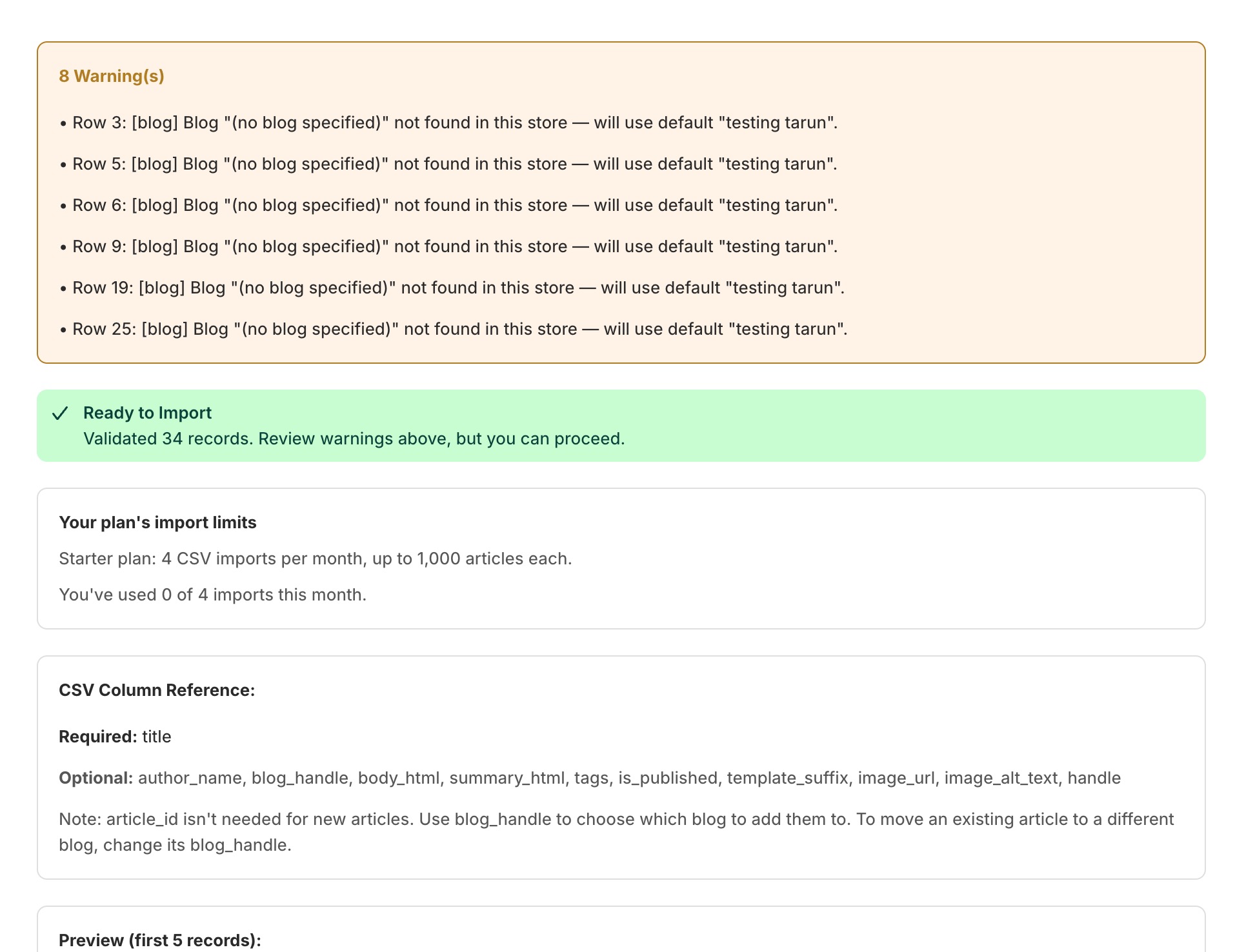
CSV columns
Only title is required. Everything else is optional:
title, author_name, blog_handle, body_html, summary_html, tags,
is_published, template_suffix, image_url, image_alt_text, handle
Tip
If your CSV moves articles to a different blog, BlogBuddy creates URL redirects automatically so the old links keep working and you lose no SEO.
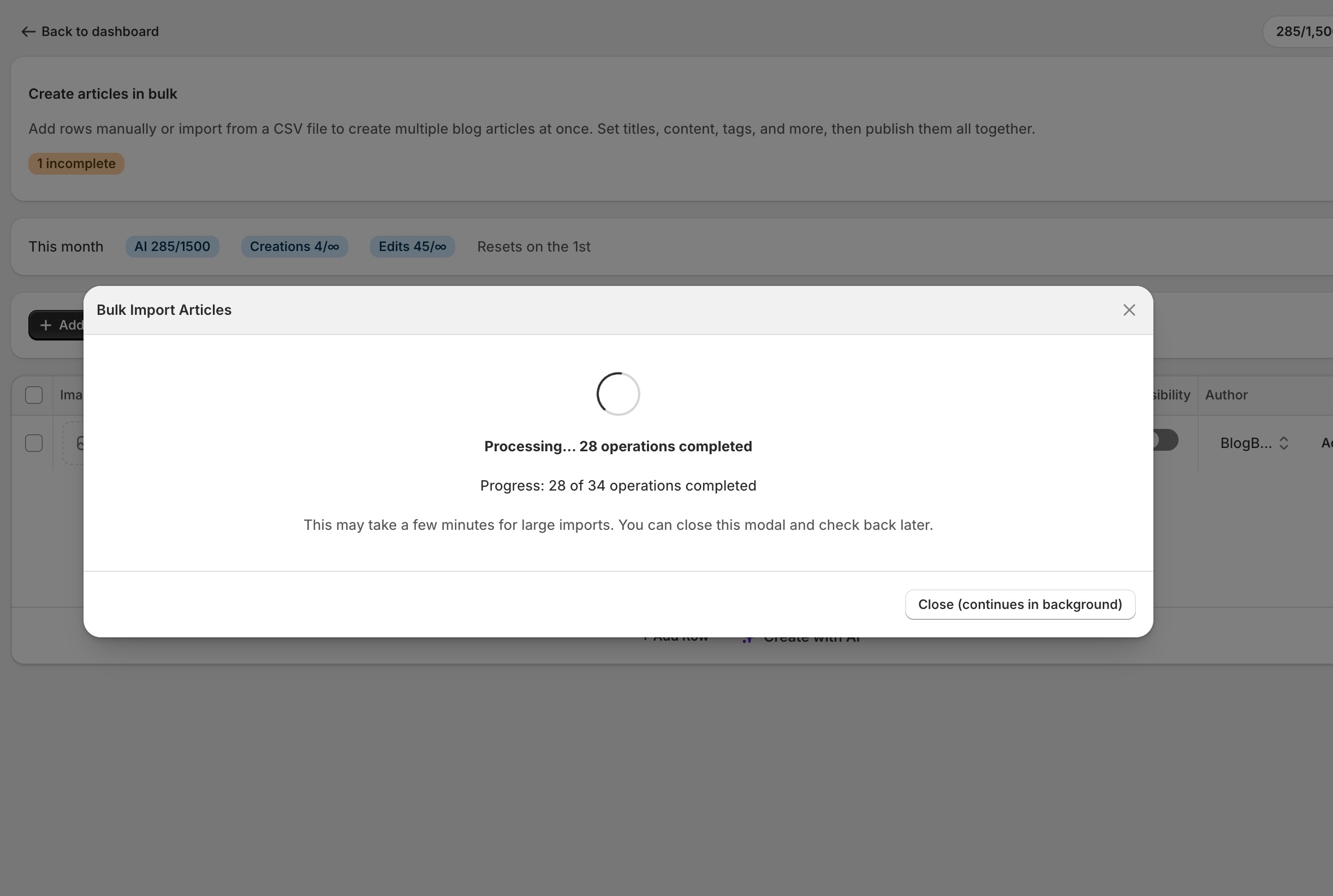
Import limits by plan
| Plan | Imports per month | Articles per import |
|---|---|---|
| Free | Paid feature | Paid feature |
| Starter | 4 | Up to 1,000 |
| Plus | 5 | Up to 5,000 |
| Grow | Unlimited | Unlimited |
A run only counts once the import actually starts, so a failed validation never burns one of your monthly runs. CSV export stays free and unlimited on every plan.