Content Autopilot
Set it once and the agent plans, writes and schedules your blog calendar. You approve everything before a word is written.
Autopilot is BlogBuddy’s agent mode. Tell it what your store is about, and it plans a publishing calendar of articles your customers actually search for, writes them with images, internal links, FAQ and schema markup, and schedules them in Shopify. You approve the plan before anything is written, and nothing is created in your store until you say write.
Turn it on
- Open Blog Post Autopilot and click Turn On Your Autopilot Agent.
- The agent works through five visible steps: getting your store data, analyzing your products and collections, planning your article calendar, scheduling publish dates, and writing your first articles. You can continue in the background at any time.
- Review the plan it produces before anything goes further.
Review the plan
The plan is a list of article ideas, each with its target keyword and a publish date. You stay in control:
- Edit any title or publish date, or remove ideas you don’t like.
- Write everything at once with Write all, or one idea at a time with Write now.
- Ask for more ideas with Plan more ideas, or start over with Clear plan.
- Target keywords are rotated across the calendar instead of stuffed into every article, which avoids over-optimization.
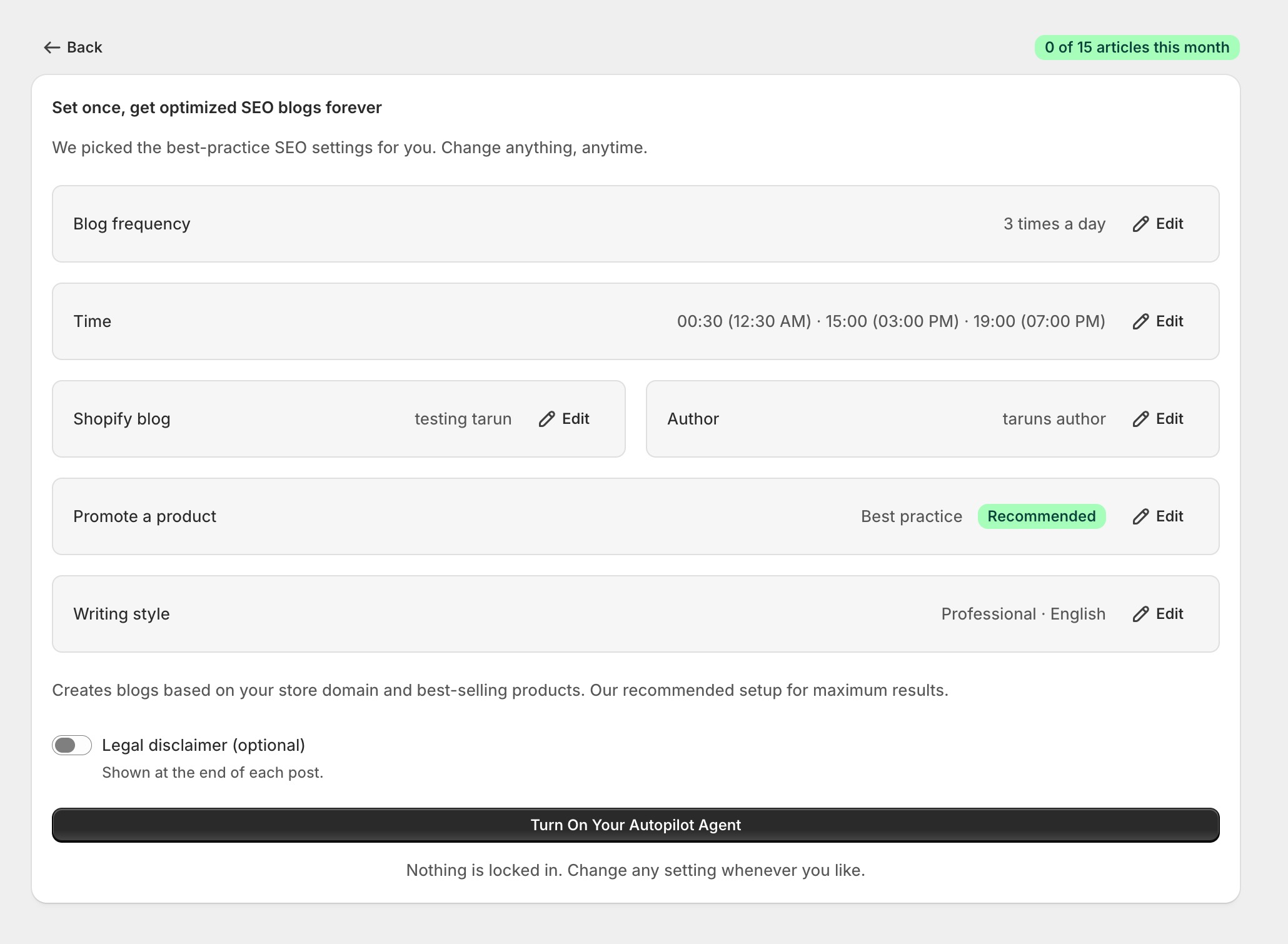
Publishing settings
| Setting | Options |
|---|---|
| Frequency | Every day, twice a day, 3 times a day, a day of the week, or a day of the month |
| Publish times | Up to 3 per day, in your store's local time zone |
| Plan size | 4, 8 or 12 articles per planning run |
| Products to promote | Best practice (automatic), manually selected (up to 10), or none |
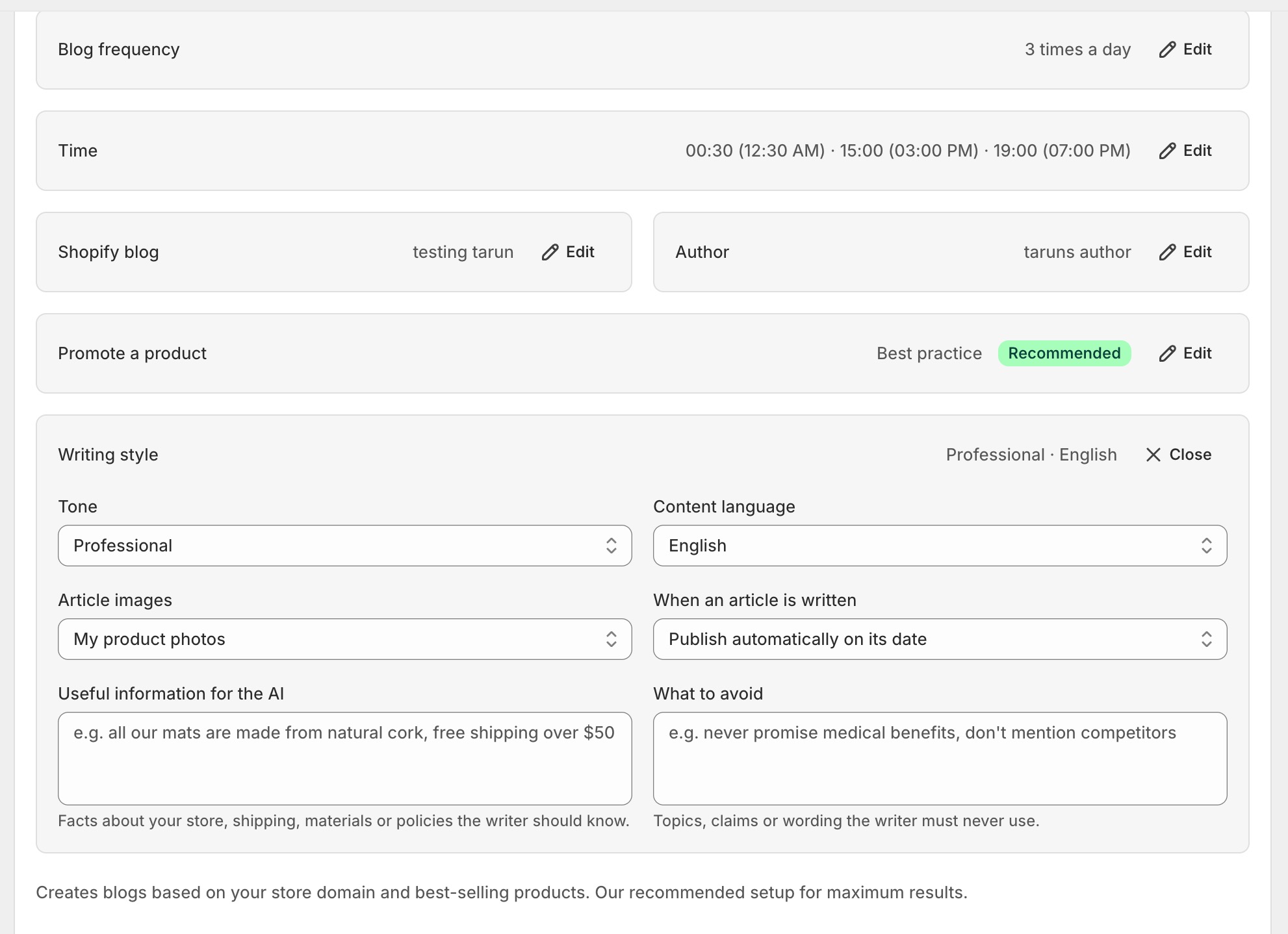
| Images | Your product photos, AI lifestyle images (2 per article), or none |
| Publish mode | Publish automatically on its date, or save every post as a hidden draft |

Writing style
Autopilot uses the same writing controls as the rest of the app: tone, content language, a knowledge base of useful information, a list of things to avoid, and an optional legal disclaimer appended to every article. Pick a real author name, it reads better and helps SEO.
What every article includes
- A table of contents with anchor links
- An FAQ section your customers actually ask
- Schema markup (Article and FAQ)
- Meta title and description
- Internal links to your other posts
- Images from your products, linked to the product page
Note
Tip